- What is a Personal Tax Account?
- What Can You Do With a Personal Tax Account?
- What You Need Before Setting Up Your Personal Tax Account?
- How to Set Up a Personal Tax Account (Step-by-Step)
- Common Problems People Face When Setting Up a Personal Tax Account
- HMRC App vs Personal Tax Account
- Frequently Asked Questions
- Conclusion
HMRC Personal Tax Accounts make it easier for UK taxpayers to manage their tax information online. You can check your tax code, view tax records, update personal details, and access HMRC services in one place.
In this guide, you’ll learn how to set up your HMRC Personal Tax Account, what you can do with it, and the most common issues people face when using it.
What is a Personal Tax Account?
In the UK, an HMRC Personal Tax Account is your online account for managing personal tax information. It provides you all your income, taxes, and National Insurance contributions information at one place. You may access your tax history, check your tax code, update personal information, and even make adjustments or submit a refund request. It gives you more control over your tax information, which makes it simpler to stay organised, prevent errors, and monitor what you owe or are owed.
Wondering why your tax code changed? Find out here
What Can You Do With a Personal Tax Account?
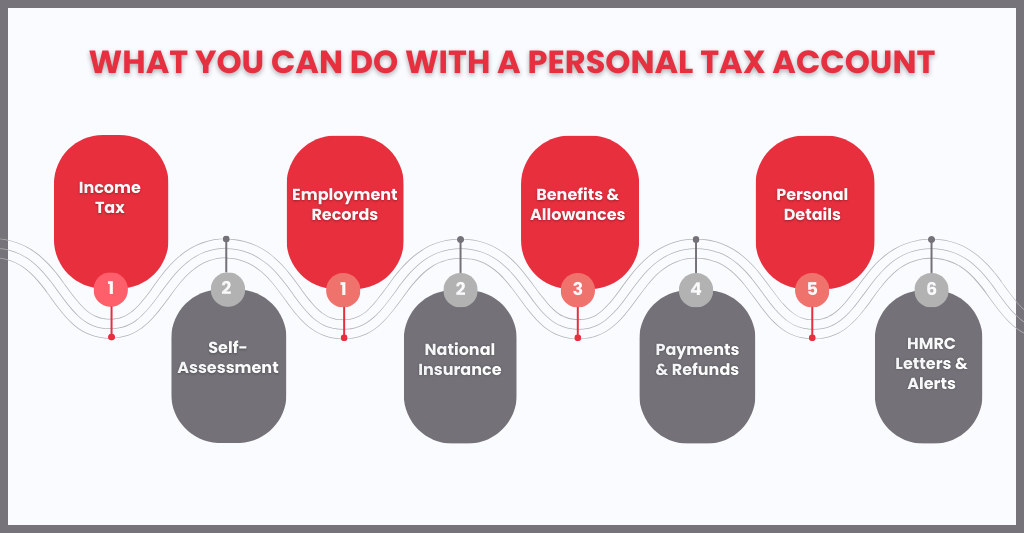
Your Personal Tax Account is your digital tax hub. Here is a full breakdown of what you can do,
- Check your tax code and get an Income Tax estimate
- Claim a tax refund directly into your bank account
- View your income from employment for the previous 5 years
- Check how much Income Tax you paid in the previous 5 years
- Determine whether Income Tax has been overpaid or underpaid for previous years, and what action is required
- Submit and track your Self Assessment tax return
- Register for Self-Assessment if you are self-employed or have other untaxed income.
- Appeal certain HMRC penalties, where eligible
- Inform HMRC that you are no longer self-employed
- Apply to reduce your payments on account if your circumstances change
- Check for gaps in your National Insurance contributions (NICs)
- Check your State Pension forecast
- Find your National Insurance Number
- Check and manage your tax credits
- Check or update your Marriage Allowance
- Manage Child Benefit, apply for, update, or stop your claim
- Check or update employment benefits, such as a company car or medical insurance
- Claim working from home tax relief, if eligible
- Make a payment to HMRC
- Set up and manage direct debits for tax payments
- Track the status of forms you have submitted online
- Inform HMRC about a change of address
- Update your name, address, or contact details directly with HMRC
- Find your Unique Taxpayer Reference (UTR) number
What You Need Before Setting Up Your Personal Tax Account?
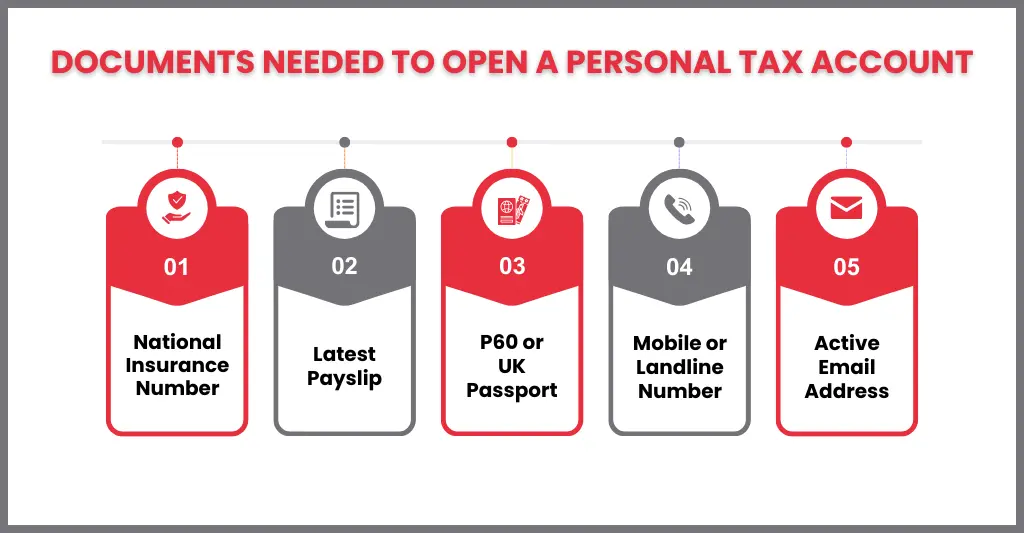
Before creating your HMRC Personal Tax Account, make sure you have:
- Government Gateway ID (or create one if you don’t have it)
- National Insurance number
- Personal details (full name, date of birth, and address)
- Current income information (pay slips, P60, or self-employment records)
- Email address and phone number for verification and notifications
How to Set Up a Personal Tax Account (Step-by-Step)
Setting up your Personal Tax Account usually takes around 10 to 15 minutes. Before you start, make sure you have the following to hand:
Documents you’ll need:
- Your National Insurance number
- A valid UK passport, DVLA photocard driving licence, or biometric residence permit
- A recent payslip (within the last 3 months) or a P60 from your last tax year
- Your current mobile number or landline (for two-step verification)
- An active email address
Step 1: Visit the official HMRC website
Go to the HMRC Personal Tax Account page on GOV.UK and select Sign in.
Step 2: Sign in or create a Government Gateway account
If you have previously submitted a Self-Assessment tax return, claimed Tax-Free Childcare, or used any other HMRC online service, you likely already have Government Gateway credentials. Use those. If not, click “Create sign-in details”, enter your email address, create a password, and set up a recovery word.
Step 3: Verify your identity
HMRC will ask you to confirm your identity using your National Insurance number plus one or two of the following: a valid UK passport, a photocard driving licence, a recent payslip or P60, or details from a previous tax credit claim or Self-Assessment return.
Step 4: Set up two-step verification
Choose to receive a security code by text message or phone call. Enter the code to confirm your identity.
Step 5: Complete registration
Answer the remaining security questions. Once verified, your Personal Tax Account is active and ready to use.
Step 6: Log in any time
Return to www.gov.uk/personal-tax-account using your Government Gateway User ID and password whenever you need to access your account.
Common Problems People Face When Setting Up a Personal Tax Account
Sometimes setting up a personal tax account can be challenging, if you face following issues:
- Failed identity verification: Sometimes the system may not verify your identity documents such as passport, P60, payslip details. This can hinder your personal tax account setup process.
- Inability to clear two-step verification: If you have changed your phone number, you may not receive the SMS code required to log in.
- Incorrect personal information: If the data mentioned in the personal tax account and data held in government documents is incorrect, it will cause registration failure.
- Name Formatting Errors: Registration may fail if your name does not match official records exactly
- Government Gateway User ID Issues: Government Gateway user ID issues are common, especially if you have lost your login details. Users often fail to write down or lose their 12-digit user ID. Keep in mind to note it somewhere immediately after account registration.
- Locked Accounts: Your account may be locked after several failed login attempts.
HMRC App vs Personal Tax Account
| Feature | HMRC App | Personal Tax Account (PTA) |
| Access | Mobile app for smartphones | Web-based account accessible via any browser |
| Purpose | Quick tasks like tax code, payments and refunds checking. | Full management of taxes, including income, Self Assessment, and National Insurance |
| Functionality | Limited features; ideal for on-the-go updates | Comprehensive features; track income, submit changes, claim refunds, and manage tax obligations |
| User Type | Suitable for small queries and daily use. | Suitable for individuals who want full control over their tax records. |
Frequently Asked Questions
How long does it take to set up a Personal Tax Account?
If you have all require documents, then a personal tax account can be set up in 10-15 mins.
Is a Personal Tax Account free?
Yes, a personal tax account is completely free for all UK taxpayers to set up and use.
Can I access my Personal Tax Account on my phone?
Yes. You can use the mobile-optimised website at gov.uk/personal-tax-account or download the free HMRC app from the iOS or Android app store.
Do I need a Government Gateway account?
Yes, you need to have a government gateway account to create and access your HMRC Personal Tax Account. You can create during the setup process if you don’t have one.
What happens if I forget my Government Gateway login details?
You can reset your password or user ID on the HMRC website if you can’t remember your Government Gateway login credentials. To retrieve your account and get access again, follow the instructions.
What if I cannot verify my identity?
Access to your Personal Tax Account may be delayed by HMRC if you are unable to authenticate yourself. You might have to submit more paperwork or get help from HMRC.
Can self-employed people use a Personal Tax Account?
Yes, self-employed people can monitor their National Insurance contributions, manage their income, keep track of their tax payments, and fulfill their Self Assessment duties by using a Personal Tax Account.
Can I claim a tax refund through my PTA?
Yes, it enables you to easily submit refund requests to HMRC and monitor your tax balance.
How Do I Access My HMRC Personal Tax Account?
Using your Government Gateway ID and password, you can log into your HMRC Personal Tax Account via the HMRC website. You can access and manage all of your tax data once you are logged in.
Can an Accountant Access Your Personal Tax Account?
It is possible for an accountant to access your personal tax account, but only if you give them permission via HMRC’s agent services. This gives them the ability to handle your taxes.
Conclusion
Your Personal Tax Account is the simplest and most reliable way to stay on top of your UK tax affairs. With 24/7 access to your records, the ability to update your details instantly, and secure communication with HMRC, it puts you firmly in control. Even if you have an accountant managing your Self-Assessment or other tax matters, your PTA holds information only you can access, making it an essential tool for both you and your adviser.
If you have complex tax affairs or need help interpreting what you find in your Personal Tax Account, our team at CoxHinkins is here to help. Contact us to speak with a qualified tax adviser.
Disclaimer: Kindly note this blog provides general information and should not be considered financial advice. We recommend consulting a qualified financial advisor for personalised guidance. We are not responsible for any actions taken based on this content.